> For the complete documentation index, see [llms.txt](https://docs.middle.app/middle-docs/llms.txt). Markdown versions of documentation pages are available by appending `.md` to page URLs; this page is available as [Markdown](https://docs.middle.app/middle-docs/release-notes/january-26-2026.md).
# January 26, 2026
Release for 1/26/2026
This update contains several improvements and bug fixes.
## Workflow enhancements
Workflows have been changed significantly under the hood to address several issues and improve performance.
### Duplicates
Previously, workflows could sometimes be executed more than once on rare occasions. On busy installations, with 1-2 million workflows executed every day, up to a few thousand each day may have been executed more than once, in whole or in part.
Now, workflow execution has been improved to avoid duplicate executions. This was accomplished with a very-low-duration-lock claim system, where workers first claim a workflow before working on it. We think this new solution should be just as performant as before without resulting in duplicate executions.
### Performance
Previously, workflows stored a copy of their history into an ElasticSearch cluster. This was a not insignificant source of time and cost. This has been removed. History is only stored in the relational database, in a now-optimized table to support history UI.
### History UI
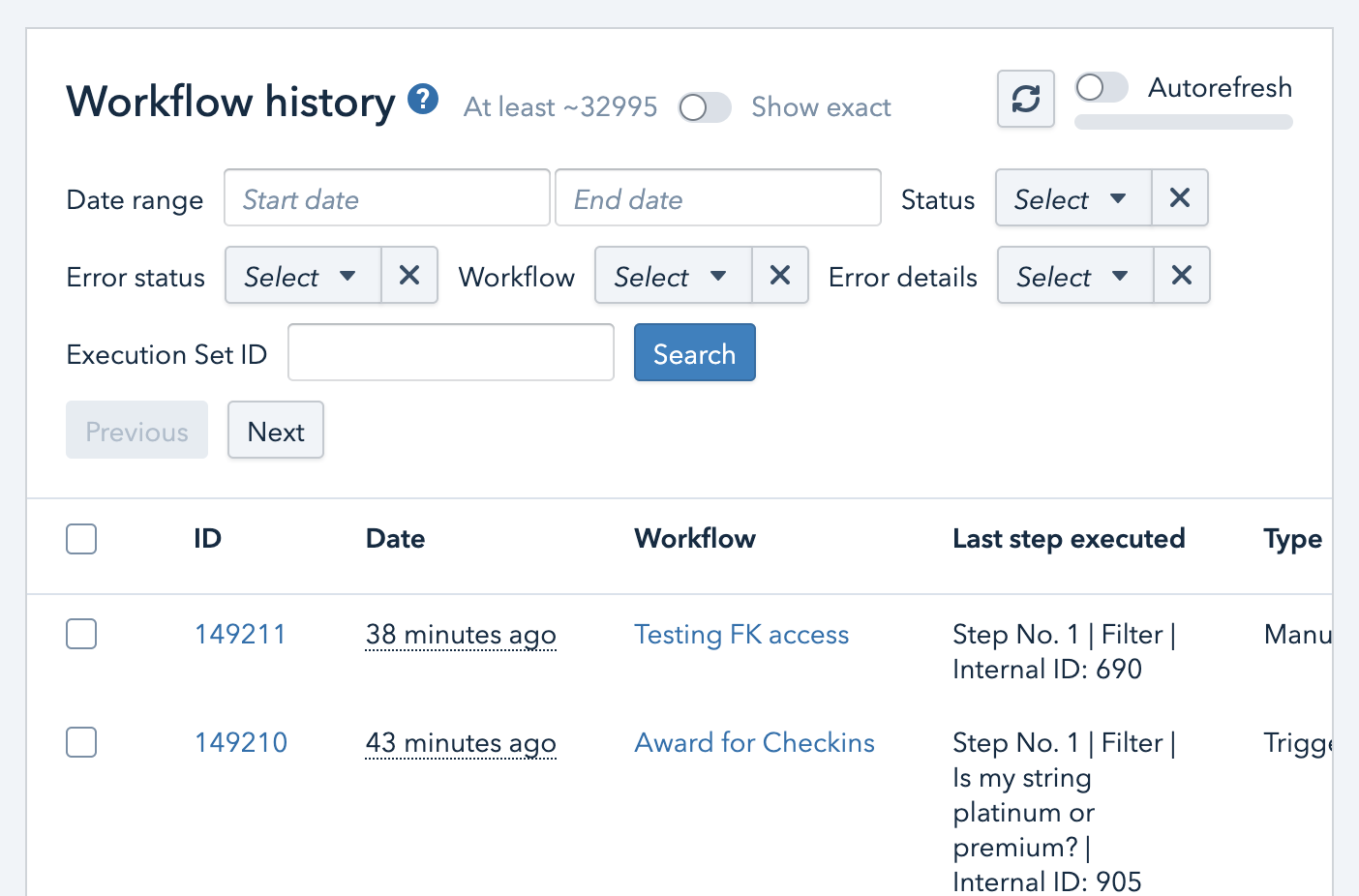
Workflow history pages have been updated significantly to be easier to use for most use cases.
* An exact count is now supported, though is a bit more resource intensive so toggled off by default. This shows an exact count of the entire query-set as selected.
* Searching by "Last step executed" is streamlined and easier to use, and the appearance in the table is improved.
* Searching by "Error details" now can search by the text of any Action that failed, which is the most common cause of failures, and previously required navigating into the workflow execution to find.
* Paging has been improved and made more consistent. Paging uses the created date of the workflow as the "paging key", meaning that when paging with autorefresh on, you will be able to see the selection update as workflows process, rather than shifting between different pages of workflows.
## Code packages
Previously, every time a developer saved a script, Middle would need to download each code package and upload the entire package to Lambda. This was slow, and for larger code packages this would result in an error if the entire package was too large to use Lambda's direct upload API call; as a workaround, developers have been using the zip upload feature instead, which is cumbersome to use.
Now, code packages use AWS Lambda's layers feature to reduce upload times, and to resolve that above error. All code packages will need to have a "python" folder at the root, and anything in that folder will be accessible by script code at runtime.
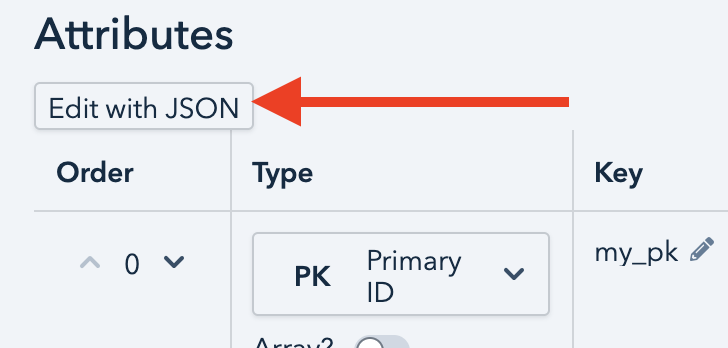
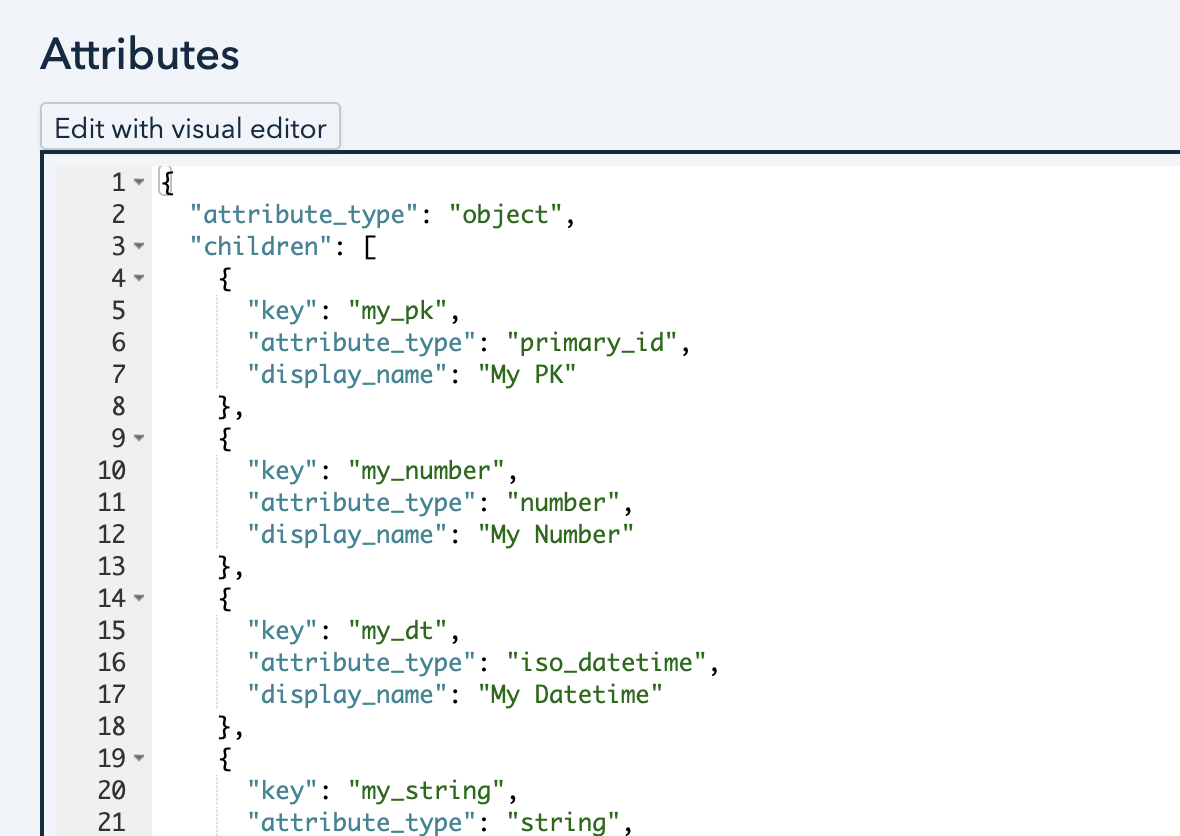
### Attributes editable as JSON
Added an "Edit with JSON" button to the attribute editor, which should be helpful for power users and with AI-assisted workflows.
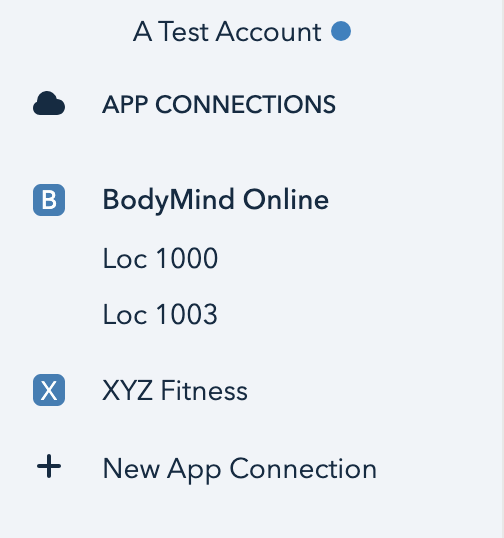
## Multiple connections
Multiple app connections to the same app now are grouped together with the name of the connection visible, which should help differentiate them.
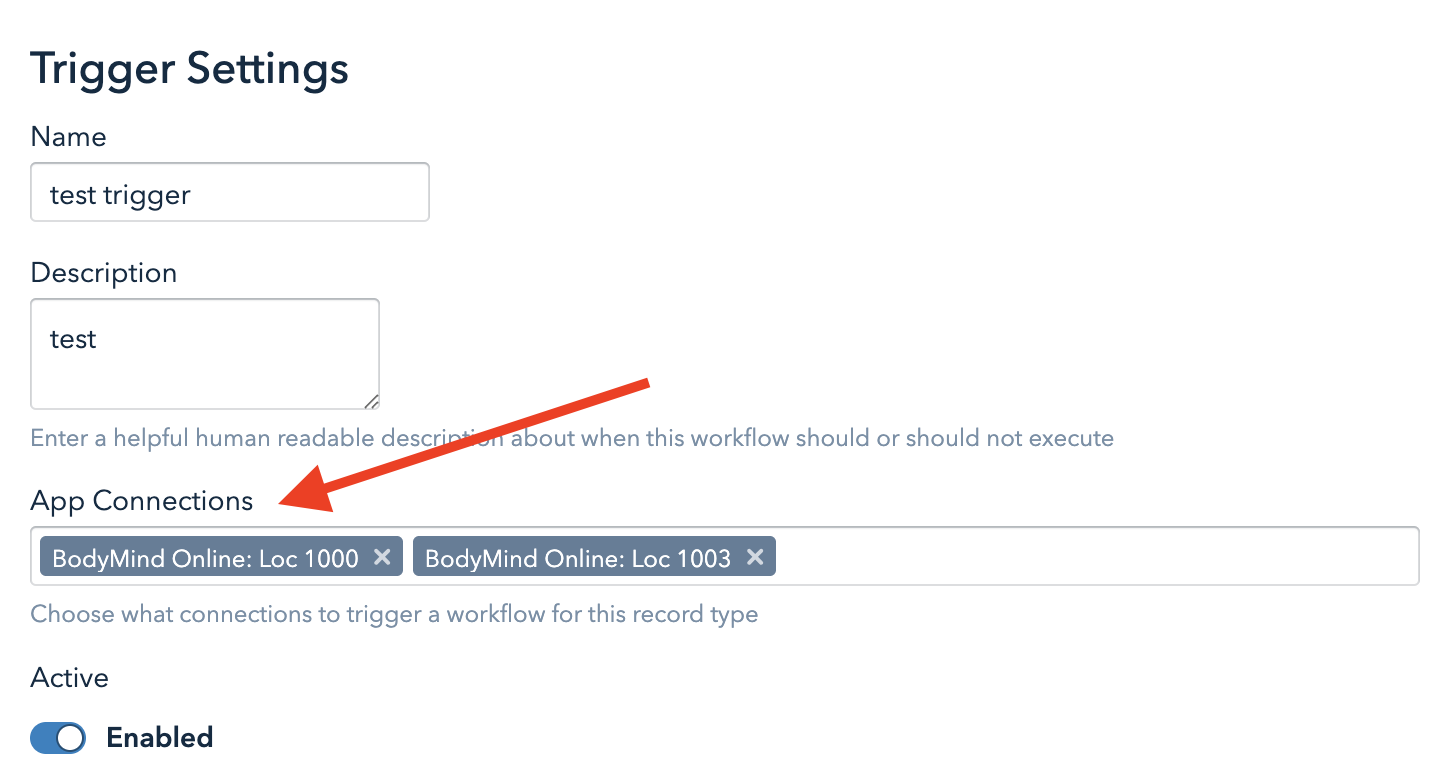
Workflow triggers can now target multiple app connections rather than just one.
## Null guards
Previously, a Node Parameter Error would result when accessing a property on data that was intended to be an object, but is actually null. This resulted in users adding in tons of null checks everywhere.
Now, accessing a property on a null object will always result in null, rather than an error.
## Misc. fixes and improvements
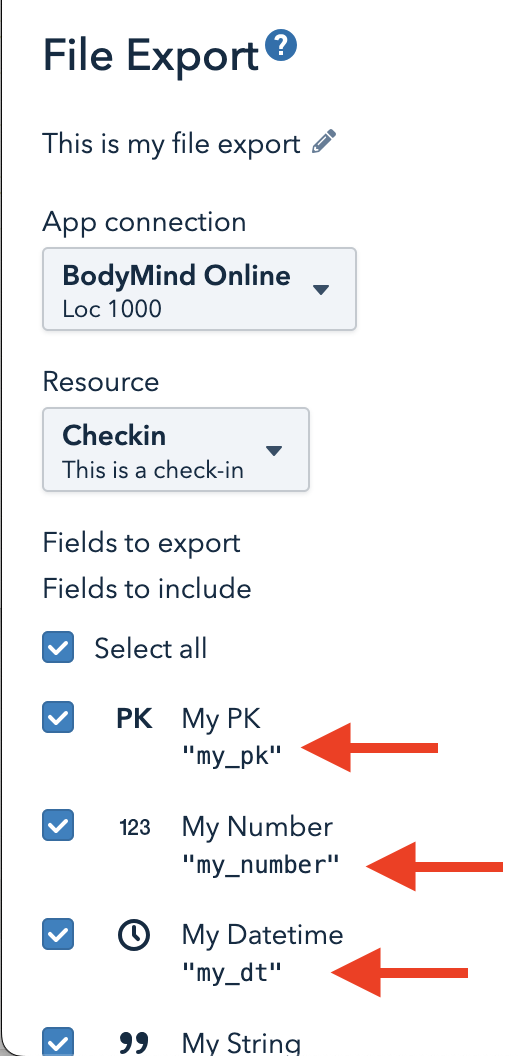
Now displaying column header name in File Export screens.
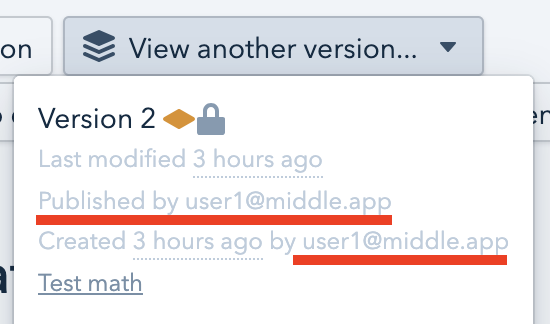
Now displaying who published each workflow version in the workflow version dropdown.
Fixed an issue where newlines in Attribute descriptions would not show up to the user.
Fixed an issue where, in a Workflow, if a Foreign Key were coerced to a string, a debug string resulted rather than the value of the Foreign Key.
Fixed an issue where, when testing a poll sync clearing the date resulted in a 500 error.
Fixed an issue where a 500 error could result when editing a Workflow, when inserting a parent above a Construct Object Node Parameter, under some situations.
Fixed an issue that could result in an erroneous Node Parameter Error when using Timedelta Node Parameters in a calculation.
Fixed an issue where copying and pasting workflows would sometimes re-order the keys in Set Variable steps.
Fixed an issue where related attributes in particular would sometimes seem to not be reflected in workflow execution or on certain UI pages, due to overly aggressive caching.
---
# Agent Instructions
This documentation is published with GitBook. GitBook is the documentation platform designed so that both humans and AI agents can read, navigate, and reason over technical content effectively. Learn more at gitbook.com.
## Querying This Documentation
If you need additional information that is not directly available in this page, you can query the documentation by asking a question.
Perform an HTTP GET request on the following URL with the `ask` and `goal` query parameters:
```
GET https://docs.middle.app/middle-docs/release-notes/january-26-2026.md?ask=&goal=
```
`ask` is the immediate question: it should be specific, self-contained, and written in natural language.
`goal` is what the user is ultimately trying to achieve, the reason they need the answer. Sharing it helps GitBook give you a better, more relevant answer. A goal is most helpful when it describes the outcome the user wants rather than restating the question. For example, with `ask=how do I create an API token`, a goal like `automate deployments from our CI pipeline` lets GitBook tailor the answer to that use case.
The response will contain a direct answer to the question and relevant excerpts and sources from the documentation.
Use this mechanism when the answer is not explicitly present in the current page, you need clarification or additional context, or you want to retrieve related documentation sections.